Salesforce Flow Builder for Beginners
Salesforce Flow Builder for Beginners
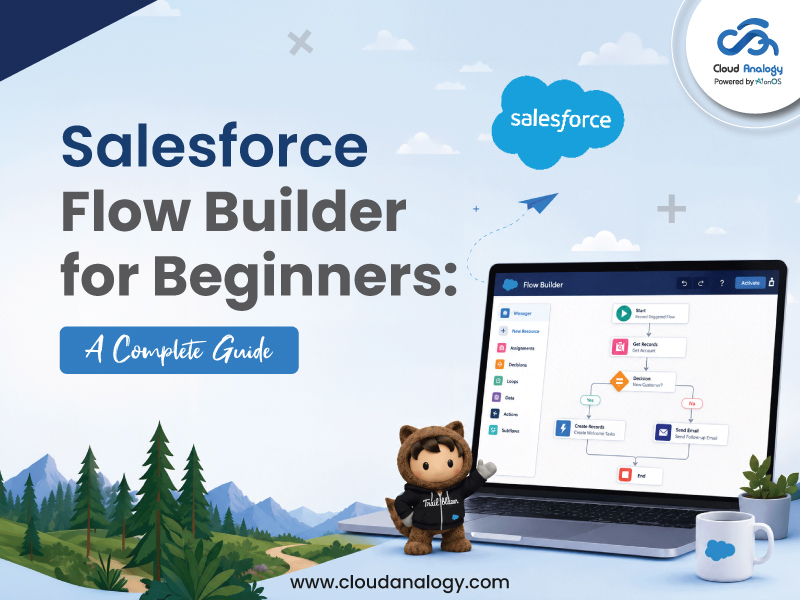
Automation is the key to improving efficiency, reducing manual effort, and delivering exceptional customer experiences in today’s fast-paced business environment.
Salesforce Flow Builder is a powerful no-code automation tool that enables organizations to automate complex business processes, streamline workflows, and improve productivity directly within Salesforce.
Whether you’re a Salesforce administrator, business analyst, or business leader, Flow Builder helps automate record updates, user interactions, approvals, and integrations with ease.
As businesses continue to accelerate their digital transformation initiatives, many organizations leverage Salesforce consulting services to maximize the potential of Flow Builder and build scalable automation strategies.
In this guide, you’ll learn everything about Salesforce Flow Builder, including its features, flow types, best practices, common mistakes to avoid, and how to build your first flow.
- What Is Salesforce Flow Builder?
- Why Salesforce Flow Builder Matters
- Types of Flows in Salesforce
- Key Components of Salesforce Flow Builder
- Step-by-Step Guide to Building Your First Flow
- Salesforce Flow Builder Best Practices
- Common Mistakes Beginners Should Avoid
- Agentforce for Flow: AI-Powered Automation
What Is Salesforce Flow Builder?
Salesforce Flow Builder is a declarative automation tool built directly into the Salesforce platform. Declarative means users can create sophisticated automations using clicks, drag-and-drop functionality, and visual interfaces rather than traditional programming.
With Salesforce Flow Builder, you can:
- Create guided user experiences with interactive screens
- Automatically create, update, read, and delete records
- Execute business logic using decisions and conditions
- Send emails and notifications automatically
- Schedule recurring business processes
- Integrate with external applications through APIs
- Automate approvals and workflow processes
Why Salesforce Flow Builder Matters
Organizations face increasing pressure to improve operational efficiency while reducing costs. Manual processes often result in delays, human errors, and inconsistent customer experiences.
Salesforce Flow Builder helps businesses:
- Improve Productivity – Automates repetitive tasks, allowing teams to focus on strategic work.
- Increase Data Accuracy – Reduces manual errors and ensures consistent data management.
- Accelerate Processes – Completes business tasks faster through automated workflows.
- Reduce Development Costs – Minimizes the need for custom Apex development.
- Enhance Customer Experience – Enables faster responses and seamless customer interactions.
Evolution of Salesforce Automation
- Workflow Rules (Retired) – Used for basic field updates and email alerts.
- Process Builder (Retired) – Offered more advanced automation capabilities than Workflow Rules.
- Flow Builder (Current Standard) – Salesforce’s recommended no-code automation tool for most business processes.
- Apex Code – Used for highly complex requirements that Flow Builder cannot handle.
Key Takeaway: In 2026, Salesforce Flow Builder is the preferred automation solution, capable of handling over 95% of business automation needs.
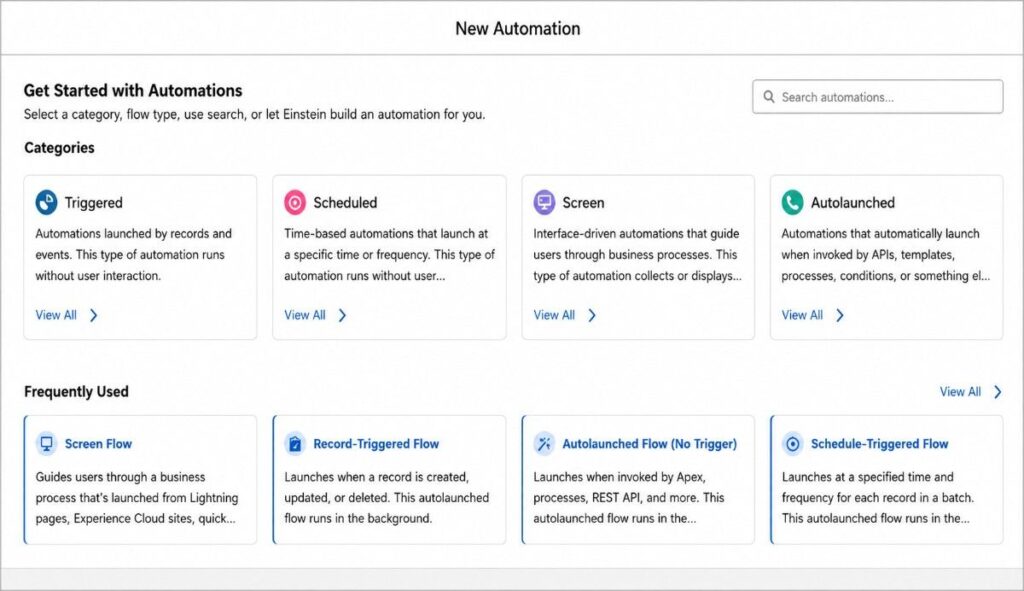

Best For: Customer onboarding, request forms, case creation, and surveys.
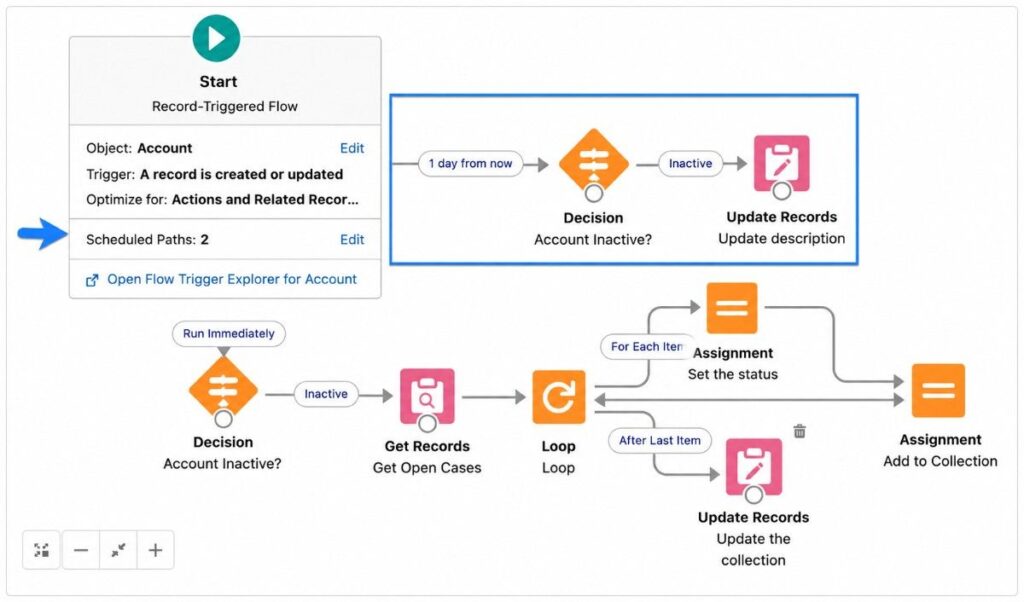
Best For: Lead assignment, opportunity updates, account synchronization, and email notifications.

Best For: Renewal reminders, weekly reports, data cleanup, and customer follow-ups.

Best For: Complex calculations, API-driven processes, reusable automation, and subflows.
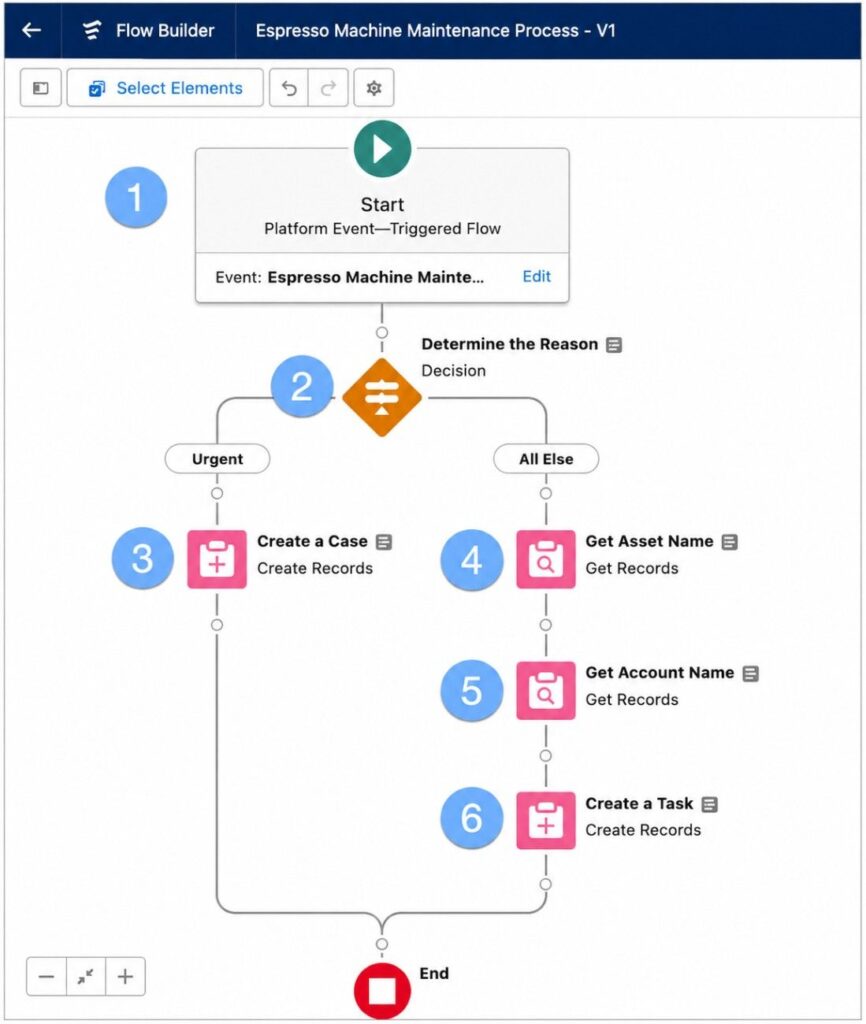
Best For: ERP integrations, payment notifications, IoT data processing, and system synchronization.
- Elements-Elements are the functional building blocks of a flow. They perform specific actions and define what the flow should do during execution.
Common Elements Include:
- Create Records
- Update Records
- Get Records
- Delete Records
- Send Email
- Assignment
- Decision
- Connectors:Connectors link flow elements together anddetermine the sequence in which actions are executed. They define the logical path that users, records, or data follow throughout the automation process.
- Resources:Resources store, retrieve, and manipulate data within a flow. They help manage information and support dynamic decision-making during execution.
Common Resources Include:
- Variables
- Collections
- Formulas
- Constants
- Text Templates
Step-by-Step Guide to Building Your First Screen Flow
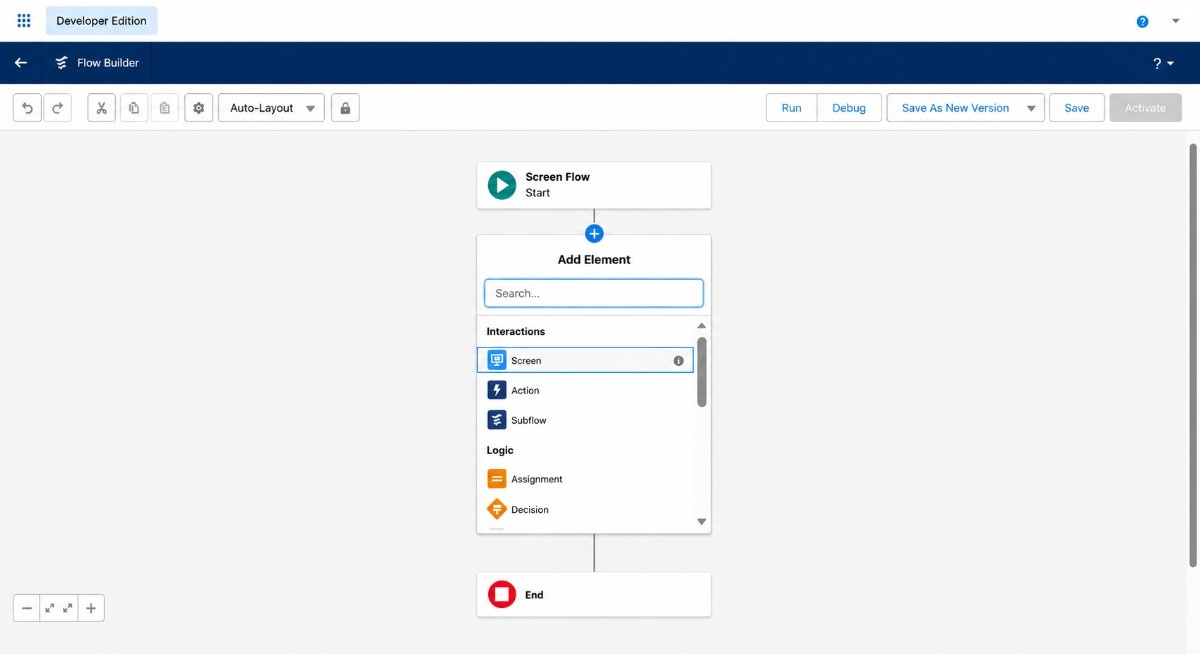
Step 1: Open Flow Builder: Navigate to: Setup → Flows → New Flow
Step 2: Select Flow Type: Choose a Screen Flow for this example.
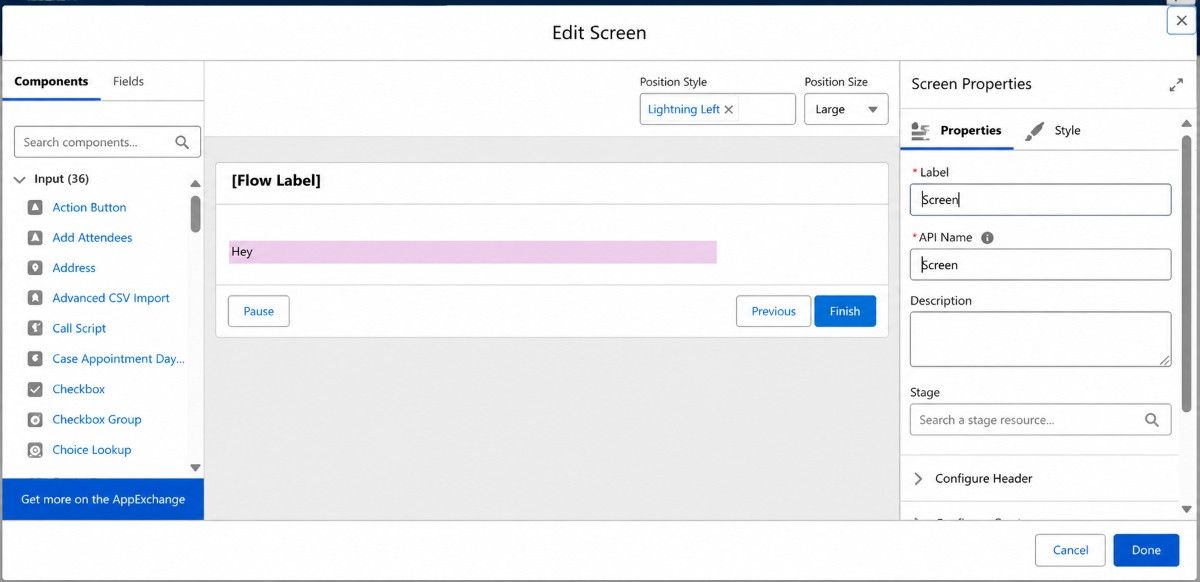
Step 3: Configure the Element: Add a Screen Element and label it.
Step 4: Select Component: From the Component section search and select ‘Display Text”
Example:
“Add a display text on Screen”
Step-by-Step Guide to Building Your First Record – Triggered Flow
Step 1: Open Flow Builder: Navigate to Setup → Flows → New Flow
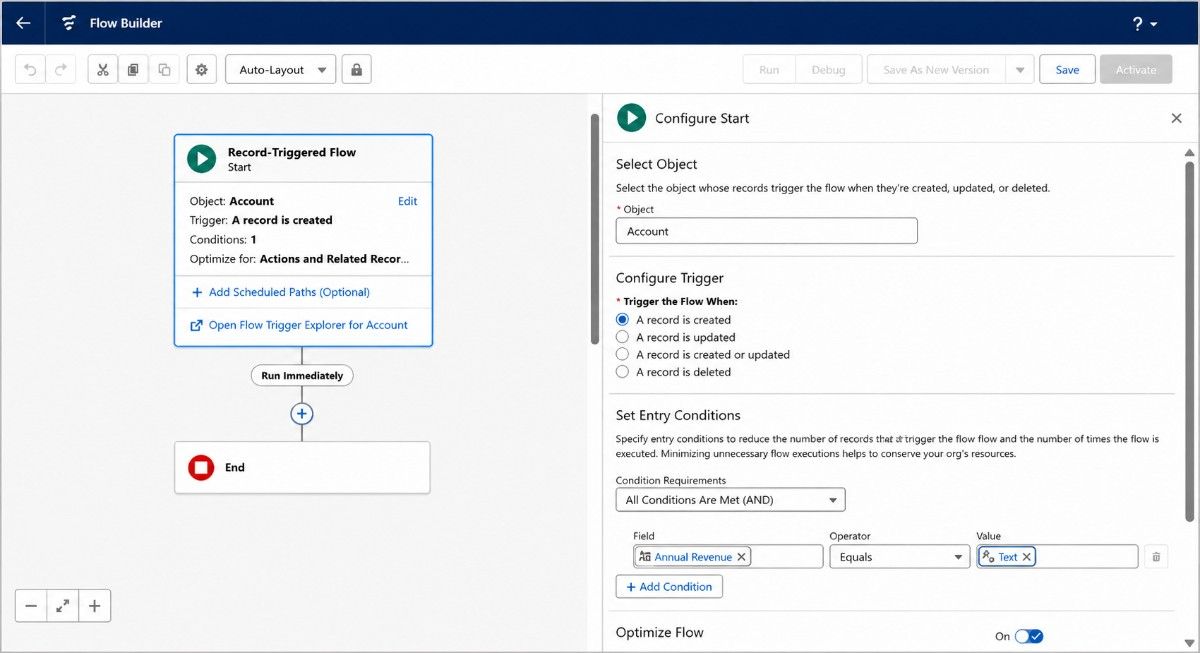
Step 2: Select Flow Type: Choose a Record Triggered Flow for this example.
Step 3: Configure the Trigger: Select the object and define trigger conditions.
Example:
“Whenever a new Account is created, Salesforce should automatically set the Type field to Customer if the user leaves it blank.”
Step 4: Select Object: Account
Step 5: Set triggering condition: When a Record is Created
Step 6: Set Entry Condition Requirement: All Conditions Are Met (AND)
Step 7: Set Conditions: Field: Type
Operator: Is Null
Value: True
Step 8: Optimize for: Fast Field Updates (Before Save)
Step 9: Click on Done
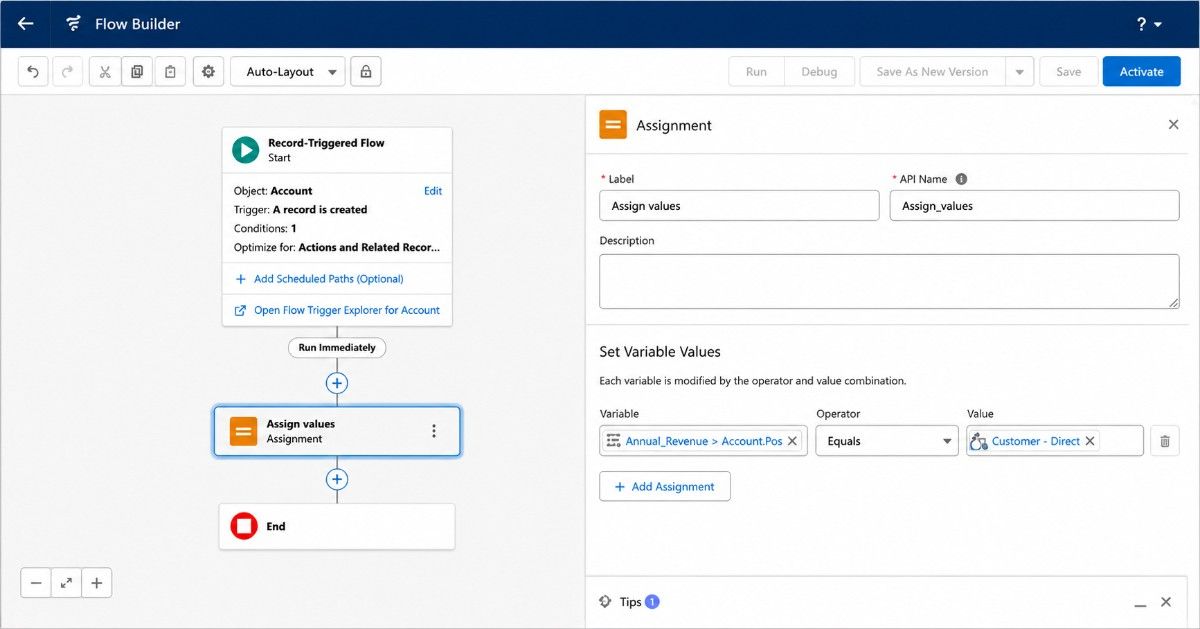
Step 10: Click the + icon
Step 11: Select Assignment, Give it a label
Step 12: Configure: In Variable, select: Triggering record → Type
Operator: Equals
Value: Customer
Step 13: Click on Done
Step 14: Save the Flow
12 Salesforce Flow Builder Best Practices
- Plan Before Building-Design the process before touching Flow Builder.
- ConsolidateRecord-Triggered Flows – Avoid unnecessary duplication.
- Never Perform DML Inside Loops-Bulkify your operations to avoid governor limits.
- Simplify Decision Logic-Use formulas and advanced criteria.
- Build ReusableSubflows– Promote maintainability and scalability.
- Choose the Right Tool-Not every requirement needs a flow.
- Always Use a Sandbox-Never build directly in production.
- Avoid Hardcoded IDs-Use Custom Metadata or dynamic queries.
- Implement Fault Paths-Plan for failures and exceptions.
- Test and Debug Thoroughly-Validate both positive and negative scenarios.
- Document Every Flow-Improve future maintenance and collaboration.
- Use Asynchronous Paths-Optimize performance and reduce transaction load.
Common Mistakes Beginners Should Avoid
- Performing DML inside loops can quickly trigger Salesforce governor limits.
- Always validate null or blank values before referencing fields.
- Choose the right flow type based on the specific business requirement.
- Test negative scenarios, including failures, missing data, and permission restrictions.
- Monitor SOQL queries and DML operations to stay within governor limits.
- Break complex automations into smaller, reusable subflows.
- Avoid multiple automations updating the same record simultaneously to prevent record-locking issues.
Agentforce for Flow: AI-Powered Automation
Salesforce continues to innovate with Agentforce for Flow, an AI-powered assistant integrated directly into Flow Builder.
Agentforce allows administrators to:
- Generate flows using natural language prompts
- Receive automation recommendations
- Accelerate flow development
- Reduce configuration time
Simply describe the automation you want, and Agentforce helps build the flow structure automatically.
As AI capabilities continue to evolve, Agentforce is expected to become a key productivity tool for Salesforce administrators and consultants.
Conclusion
Salesforce Flow Builder has become the go-to automation tool for businesses looking to streamline processes, improve efficiency, and reduce manual effort without extensive coding.
By understanding the different flow types, core components, best practices, and common pitfalls, organizations can build scalable automations that deliver real business value.
With AI-powered innovations like Agentforce, Flow Builder continues to evolve, making automation smarter and more accessible than ever.
Ready to transform your Salesforce automation? As a trusted Salesforce consulting partner, we help businesses design, implement, and optimize automation solutions that drive productivity and growth. Contact us today to learn how our Salesforce consulting services can help you build smarter, faster, and more scalable business processes.