Sharing is caring!
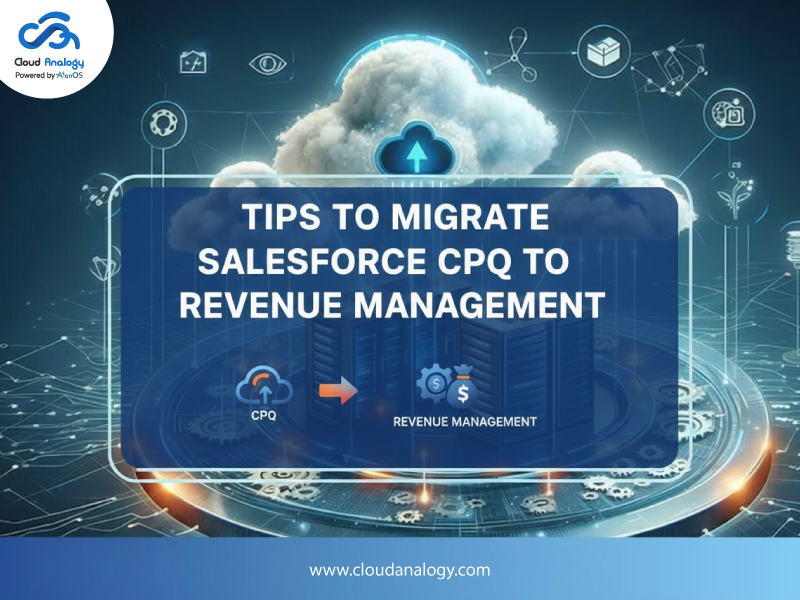
Salesforce’s Revenue Cloud, which is also developing under Agentforce Revenue Management and Revenue Cloud Advanced, is quickly becoming the successor to traditional Salesforce CPQ. It combines quoting, billing, revenue recognition, renewals, and more into one large revenue engine. As Salesforce CPQ heads toward end-of-sale status and innovation focuses on Revenue Management, businesses are looking at migration as a strategic need rather than just a system upgrade.
However, moving from Salesforce CPQ to Revenue Management is not as simple as flipping a switch. It’s a strategic change that requires careful planning and phased execution. Below are practical tips and best practices from industry experts to help guide your success.
1. Treat Migration as a Strategic Change (Not Just Technical Work)
A common mistake companies make is seeing this as just a “lift and shift” from CPQ to Revenue Cloud. In reality, Salesforce Revenue Management/RCA has a different data model and encompasses a broader revenue lifecycle. You are not merely upgrading; you are reinventing your revenue processes from start to finish.
Action tips:
- Reimagine business processes – Use migration as a chance to streamline workflows and get rid of outdated manual steps.
- Avoid repeating old logic – Rather than copying CPQ logic line-by-line, redesign your pricing and product models using Revenue Cloud’s features.
- Set measurable goals – Identify success metrics like shorter quote-to-cash cycles, better data accuracy, or quicker renewals before migration.
2. Conduct a Thorough Discovery and Assessment Phase
Before any configuration or code migration starts, thoroughly understand your current CPQ setup:
Areas to assess:
- Product catalog complexity, including bundles and configurations
- Pricing logic, discounts, and custom price rules
- Approvals, workflows, and embedded automation
- Custom Apex code or third-party integrations
- System dependencies, including ERP or finance integrations
Without a detailed audit, you risk overlooking dependencies or building in legacy design flaws that could hinder your migration or add to technical debt.
3. Map and Transform Data Carefully
One of the biggest challenges in migrating from Salesforce CPQ to Revenue Management is the differences in data models. CPQ objects like Quote Line Items, Product Options, and Price Rules do not have equivalent counterparts in Revenue Cloud.
Effective data migration practices:
- Create a detailed data map from legacy CPQ objects to new Revenue Cloud entities like Orders, Subscriptions, Billing, and Revenue objects.
- Clean your data beforehand. Remove duplicates, outdated pricing entries, and inconsistent records before migrating.
- Differentiate between live and historical data. Most businesses focus on active deals and archive historical transactions.
- Validate with checks after migration to ensure data integrity.
4. Plan Phased Rollouts Instead of a Big Bang
A large-scale cutover may seem efficient, but it is often too risky for critical revenue systems. Instead, use phased implementation tactics, such as:
- Roll out module by module, starting with quoting, then billing, and revenue recognition.
- Pilot with specific product lines or business units before complete deployment.
- Run CPQ and Revenue Cloud in parallel for a brief transition period.
Phased rollouts minimize disruption and allow teams to adjust to new processes gradually.
5. Refactor Pricing, Bundling, and Logic – Don’t Just Rebuild
Revenue Cloud has different engines and rules, particularly for pricing and bundling. Many CPQ price rules and custom logic will not work right away.
Pro tips:
- Rebuild pricing logic using Revenue Cloud’s business rule engines.
- Use declarative tools when possible instead of custom code.
- Reassess bundling strategies, as Revenue Cloud allows for more flexible product grouping compared to CPQ’s rule-driven design.
6. Strengthen DevOps and Deployment Strategies
Migrating Salesforce configurations involves syncing both metadata and configuration data between environments. This can be challenging.
Deployment tips:
Utilize DevOps tools to manage both configuration and metadata dependencies.
Plan sandbox refresh strategies to align project environments with changes in production.
Carry out early test deployments to identify migration issues before full deployment.
7. Redesign Integrations Upstream and Downstream
Revenue Management doesn’t work alone. It interacts with other systems like ERP, billing platforms, payment gateways, and customer portals.
Integration challenges to address:
- API changes and mapping differences.
- Financial systems needing real-time billing and revenue updates.
- Tax engines or CLM solutions that must align with new revenue records.
Ensure integrations are refactored or rebuilt to fit the Revenue Cloud architecture early on.
8. Invest in User Training and Change Management
Introducing Revenue Cloud means your teams will face new interfaces, processes, and terms. Change management is crucial; without adoption, you risk diminishing the benefits of your migration.
Best practices:
- Hold role-based training workshops for sales, finance, and administrators.
- Provide clear documentation and updates for standard operating procedures.
- Offer dedicated support during the initial weeks after going live.
9. Test End to End – Extensively
Testing should not just cover configurations; it should ensure quote-to-cash consistency across all revenue lifecycle events.
Include in your QA strategy:
- Unit tests of each functional area.
- End-to-end scenario testing covering billing cycles, amendments, and cancellations.
- User acceptance testing with actual business users.
10. Monitor After Go-Live and Optimize Continuously
Migration is not “complete” once you go live. Ongoing monitoring and optimization are essential to measure ROI and stabilize operations.
Key monitoring metrics:
- Quote cycle times.
- Billing accuracy and errors.
- Consistency in revenue recognition.
- User adoption and satisfaction.
Use real insights to refine workflows and introduce advanced features over time.
Conclusion: Future-Ready Revenue Operations With Expert Support
Migrating from Salesforce CPQ to Salesforce Revenue Management is a significant step toward a modern revenue lifecycle, merging quoting, billing, subscription management, and compliance into one efficient platform. To make this transformation successful, you need more than just technical know-how. You also need careful planning, meticulous data management, and ongoing validation from start to finish.
If you want a reliable partner to speed up your migration process and ensure you gain the full benefits of Salesforce Revenue Cloud, Cloud Analogy offers end-to-end Salesforce consulting services tailored to your business needs. As a leading Salesforce consulting firm, our certified experts guide organizations like yours through complex transitions with minimal disruption and maximum ROI. Whether optimizing existing systems or creating custom solutions from scratch, we specialize in Salesforce application development to support scalable revenue operations.
Partner with us to transform your revenue processes and achieve sustainable growth. Book a demo now!
Frequently Asked Questions (FAQs)
Salesforce Revenue Management provides a complete quote-to-cash experience, including quoting, billing, renewals, and revenue recognition. Many businesses migrate with help from Salesforce consulting services to grow faster and cut down on manual tasks.
Salesforce is focusing more on Revenue Cloud and Revenue Management for future innovations. Most leading Salesforce consulting firms suggest migration for long-term growth and better automation.
Main challenges include data mapping, redesigning pricing logic, and integrating systems. Skilled Salesforce consulting companies help reduce risk and ensure a smooth transition.
A typical migration lasts 8 to 16 weeks, depending on complexity. Partnering with certified Salesforce consultants can speed up implementation and lower errors.
A reliable Salesforce consulting partner guarantees the right setup, faster deployment, and scalable Salesforce application development that matches business needs.